Request A Quote

Follow Us On:

  1. Home
  2. Case studies
  3. Parcel
Case study · Logistics & Last-Mile Delivery

Parcel

Replacing scattered tools with Zoho CRM + Zoho Desk + Zoho SalesIQ to run sales, contracts, rider support and real-time chat from a single platform, with full visibility across every team.

Industry
Logistics & Last-Mile Delivery
Location
Saudi Arabia · KSA
Apps
3 connected apps
Timeline
8 weeks
Products used
Services
Zoho implementationSystem integration
At a glance
80%Faster Lead-to-Deal
90%Less Manual Effort
70%Faster Deal Processing
90%On-Time SLA
The challenge

What Parcel needed to fix

Parcel partnered with Shyphan to deliver an integrated CRM, Desk and SalesIQ rollout. As Parcel scaled across riders, clients and agents, fragmented tools made it harder to keep sales, support and operations in sync.

As Parcel scaled across riders, clients and agents, fragmented tools made it harder to keep sales, support and operations in sync.

  1. Fragmented Sales ProcessLeads, deals and follow-ups lived across spreadsheets and inboxes.
  2. Lack of Contract ManagementContracts were generated manually with no template or tracking.
  3. Inconsistent Customer SupportNo structured ticketing, SLAs or escalation paths.
  4. Disconnected Driver RecordsRider data was not connected to sales, support or compliance.
  5. No Real-Time Chat SupportCustomer questions piled up with no live channel or routing.
  6. Siloed OperationsSales, support and operations rarely shared a single record.
  7. Scalability GapManual processes could not keep up with the volume of riders and clients.
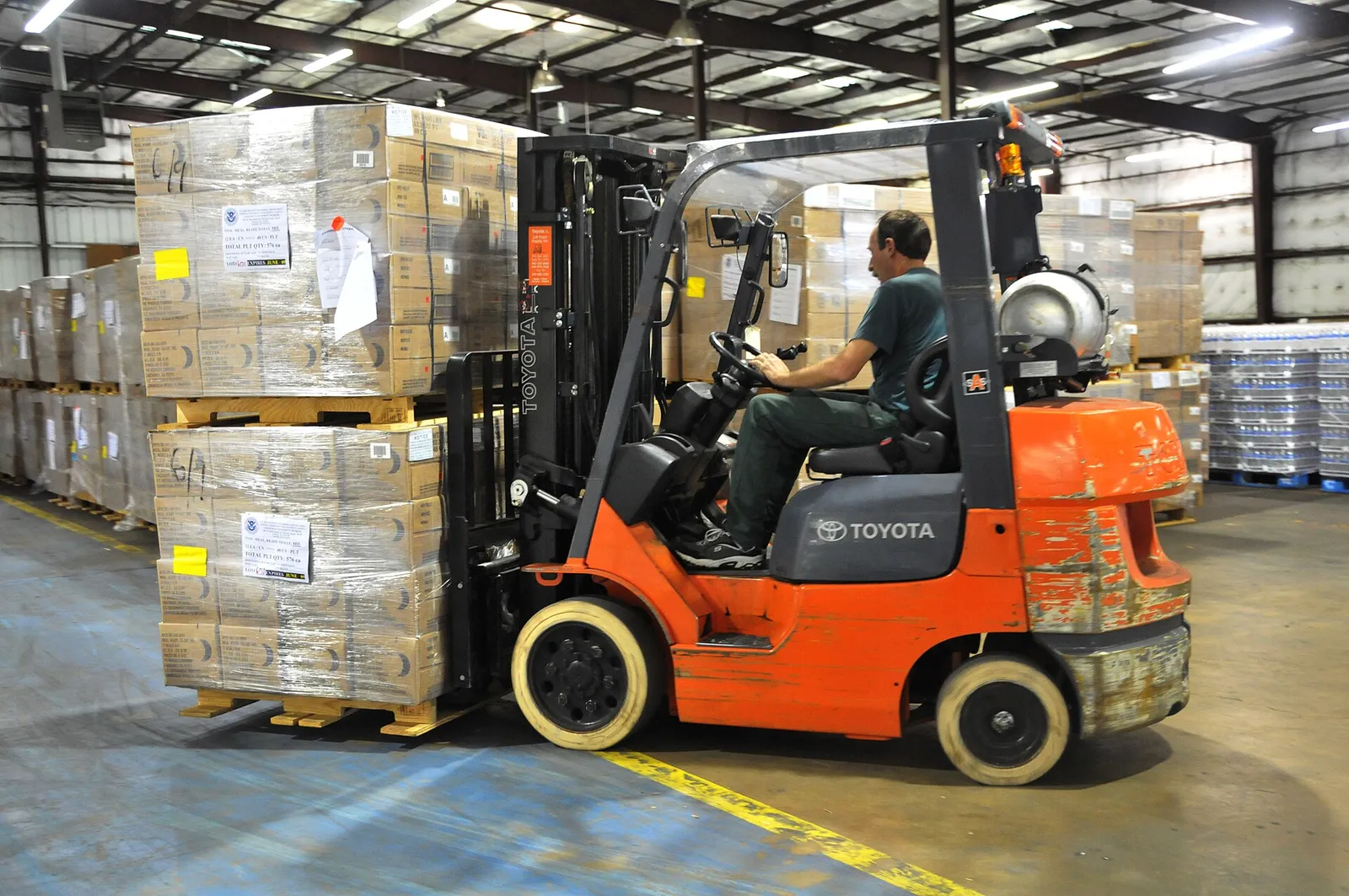
Forklift moving stacked pallets inside a warehouse
Forklift moving stacked pallets inside a warehouse. Photo credit
Before and after

What changed for the team

BeforeAfter

Leads, deals and follow-ups lived across spreadsheets and inboxes

One Zoho CRM pipeline from lead to deal, contract, quote and invoice

Contracts generated manually with no template or tracking

Contracts generated from the deal record using 6 service-line templates

No structured ticketing, SLAs or escalation paths for support

Every Desk ticket has an SLA, an owner, auto assignment and escalation

Customer questions piled up with no live chat channel

SalesIQ bots answer clients and riders and hand off to agents when needed

How it works

The business process, step by step

  1. 01

    Lead

    Leads arrive from the web form, WhatsApp and SalesIQ chat and are created in Zoho CRM with validation, so the sales team starts from one list instead of spreadsheets and inboxes.

  2. 02

    Zoho CRM

    The sales team qualifies each lead in Zoho CRM and converts it to a deal with mapped fields. Deals move through the pipeline, with email alerts sent at every stage.

  3. 03

    Contract

    When a deal is agreed, the contract is generated from the deal data using one of 6 templates, one for each service line. Quotation PDFs and invoices follow from approved quotes.

  4. 04

    SalesIQ

    Website visitors chat through SalesIQ, which runs separate bot flows for clients and riders. The bot hands off to an agent when needed, and idle chats close after 30 minutes.

  5. 05

    Zoho Desk

    Chats that need follow-up become Zoho Desk tickets automatically, routed to the Client or Rider department with SLAs, auto assignment and escalation, and agents reply from inside the ticket.

  6. 06

    Reports

    Data from CRM, Desk and SalesIQ is mapped into Zoho Analytics dashboards, so leadership sees deals, tickets, chats and SLA performance live in one place.

The solution

What we built for Parcel

Shyphan, a Zoho Premium Partner, designed an end-to-end Zoho stack covering sales, contracts, driver records, ticketing and real-time chat, all wired together.

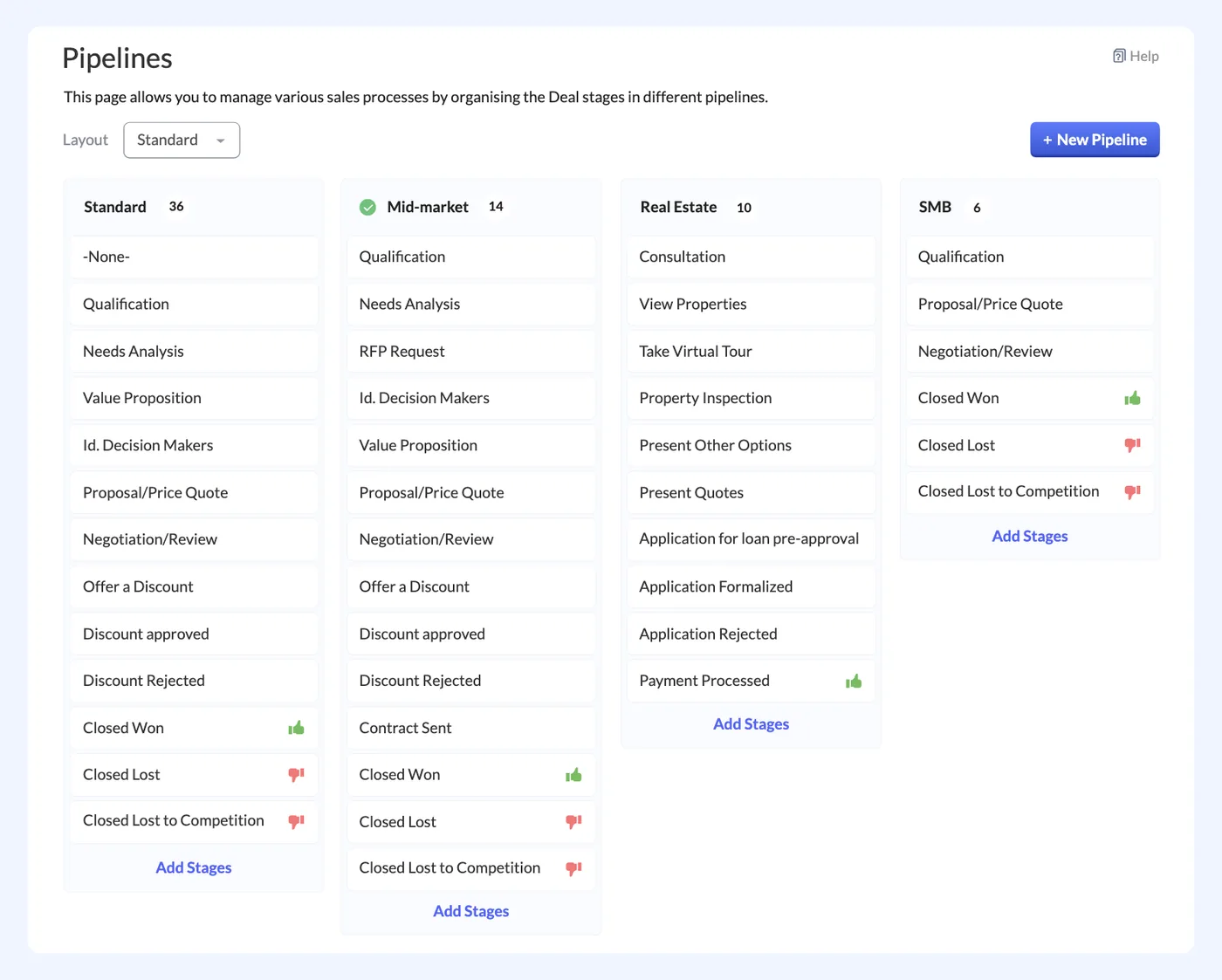
  • Lead management and validation
  • Deal pipeline with 6 contract templates
  • Quotation PDF and invoicing from approved quotes
  • Custom Drivers module
  • Lead-to-Deal conversion and email alerts
Zoho CRM
Zoho CRM interface
Zoho CRM product screenshot, for illustration
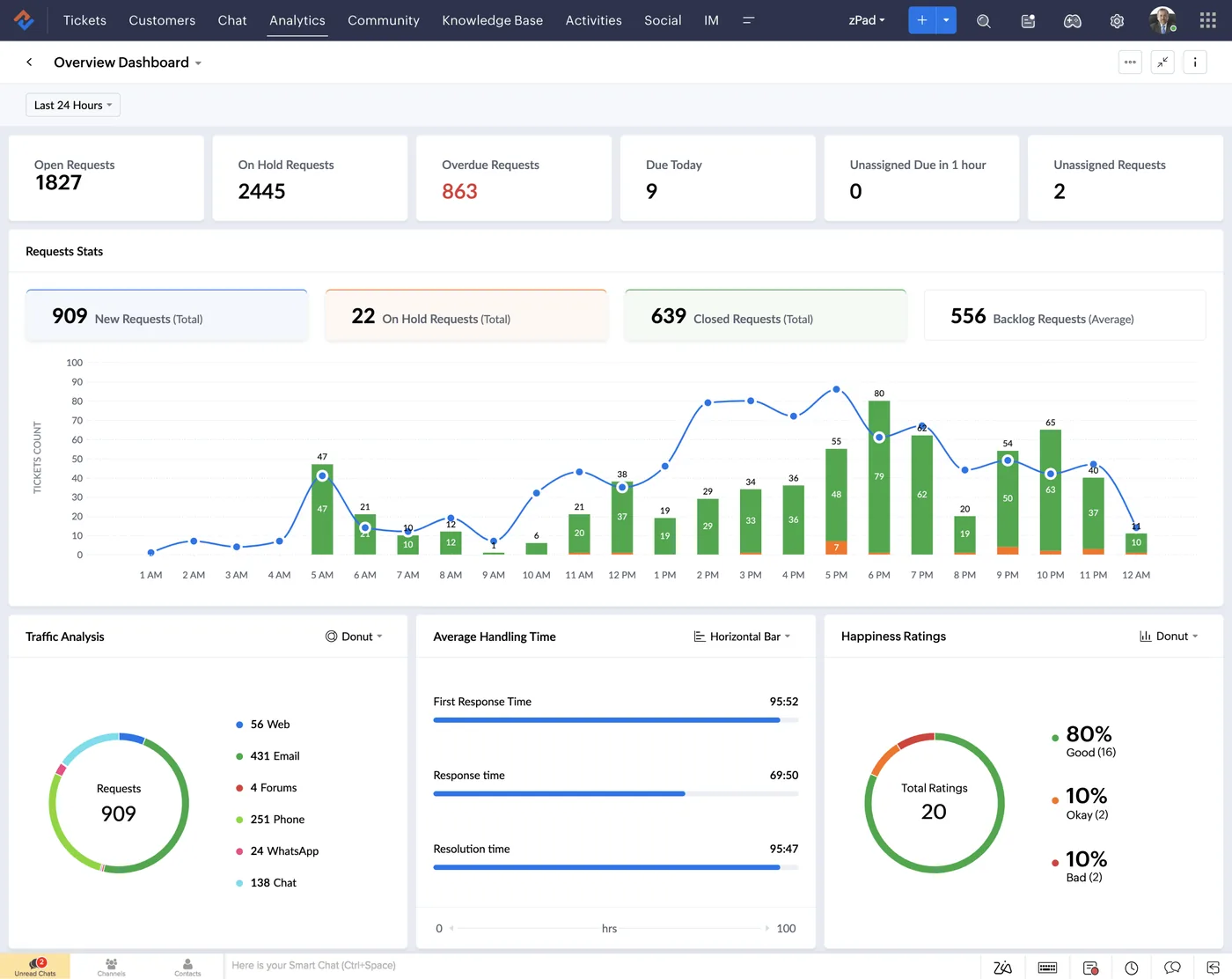
  • Client and Rider departments
  • Full ticket lifecycle and SLAs
  • Auto assignment and escalation
  • Agent visibility and access control
  • Reply to customers from inside the ticket
Zoho Desk
Zoho Desk interface
Zoho Desk product screenshot, for illustration
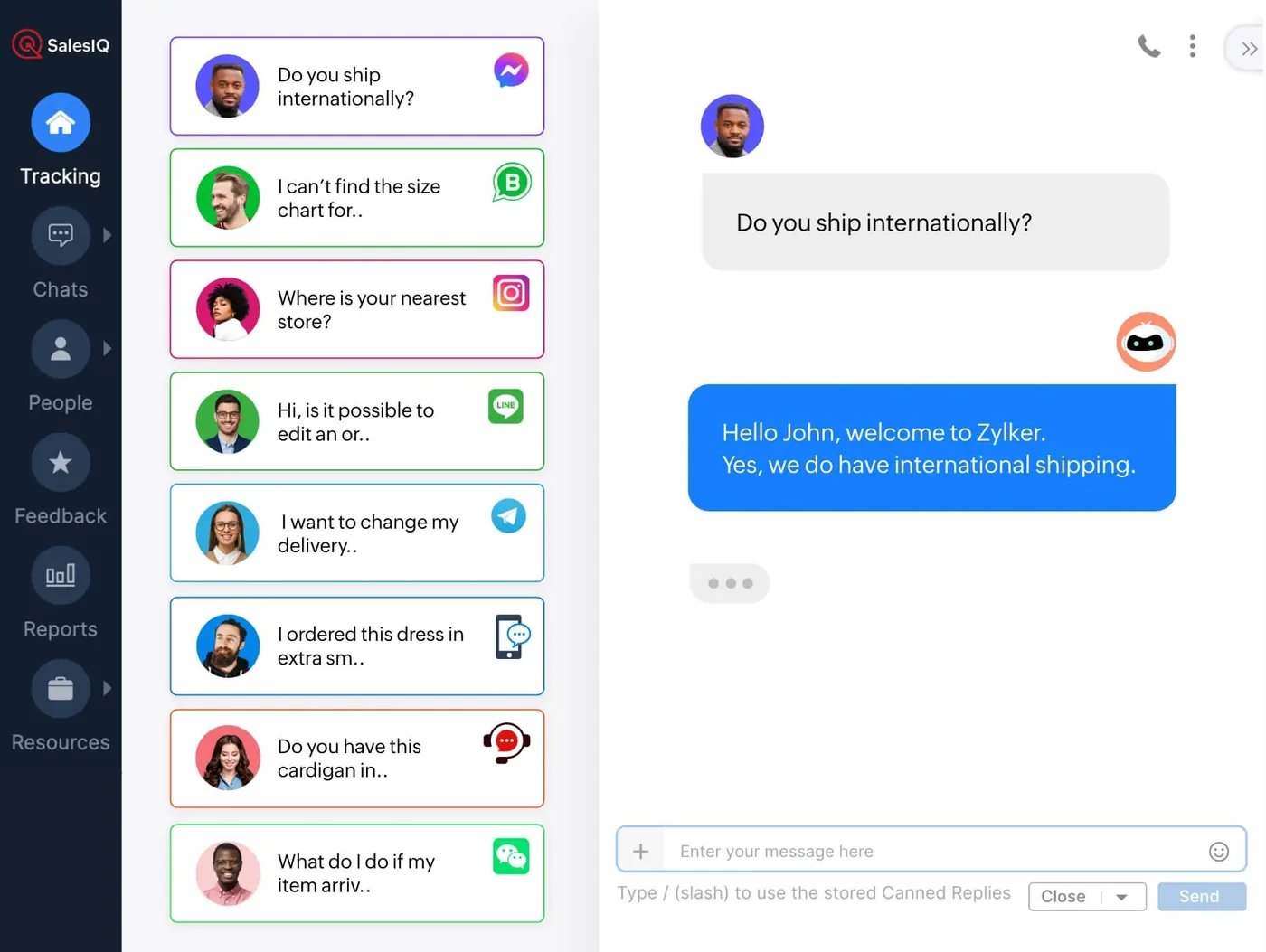
  • Dual chatbot flows for clients and riders
  • Auto-create Desk ticket from chat
  • Bot-to-agent handoff
  • Auto-close on 30 minutes of inactivity
  • Internal agent transfer within chat
Zoho SalesIQ
Zoho SalesIQ interface
Zoho SalesIQ product screenshot, for illustration
  • Single customer view across all 3 tools
  • Data mapping into Zoho Analytics dashboards
  • Role-based access aligned to each function
  • Automated email notifications across the lifecycle
  • End-to-end testing before cutover

Scope delivered

  • Zoho CRM pipeline for B2B logistics contracts
  • Contract generation from deal data
  • SalesIQ chat on the website with CRM hand-off
  • Zoho Desk with SLAs, ticket routing and customer portal
  • WhatsApp and email channels into Desk
  • Knowledge base for common shipment queries
  • Sales and support dashboards
  • Team training and go-live support

Who uses it

Sales team

Validate leads, run the deal pipeline, generate contracts from 6 templates and issue quotes and invoices in Zoho CRM.

Support agents

Handle client and rider tickets in Zoho Desk under SLAs and take chats handed off by the SalesIQ bot.

Operations team

Maintain rider records in the custom Drivers module, linked to the related deals, tickets and chats.

Leadership

Follow deals, tickets, chats and SLA performance live on Zoho Analytics dashboards covering all three apps.

Architecture

How the systems connect

InputsWeb formsWhatsAppWebsite chatEmail
Delivered by Shyphan
OutputsContract documentsQuotation PDFsEmail alertsCustomer portal

Integrations

  • End-to-End Deal Lifecycle

    Lead, deal, contract, quote, invoice, all in one connected pipeline.

  • 6 Contract Templates

    Templated contracts tailored to each Parcel service line.

  • Lead to Deal Conversion

    Mapped fields and analytics dashboards on every conversion.

  • Custom Driver Module

    Drivers are first-class records linked to deals, tickets and chats.

  • Automated Email Alerts

    Every stage and SLA breach triggers the right notification.

  • Role-Based Access

    Sales, ops and support each see exactly what they should.

  • SalesIQ Dual Flows

    Separate bot flows for client and rider chats with smart routing.

  • Auto Chat to Ticket

    Any chat that needs follow-up becomes a Desk ticket automatically.

  • CRM, Desk & SalesIQ

    Three apps behave like one, with shared customer context.

Reports and dashboards

Sales pipeline

Leads, deals and conversions by stage, with mapped fields from every lead-to-deal conversion.

SLA performance

Desk tickets resolved within SLA and any breaches, split by Client and Rider departments.

Chat activity

SalesIQ chats by client and rider flow, bot handoffs and chats turned into tickets.

Contracts and quotes

Contracts generated from deals, and quotations approved and invoiced in Zoho CRM.

The results

What the system does now

  • Unified OperationsSales, support and chat run on a single Zoho backbone.
  • Sales AccelerationLead-to-deal and deal-to-contract cycles are dramatically faster.
  • Real-Time VisibilityLeadership sees deals, tickets and chats live, not next week.
  • Structured SupportEvery issue has an SLA, an owner and a closing path.
  • Better Customer ExperienceCustomers get instant answers in chat, plus structured follow-up.
  • Future-ReadyThe platform scales as Parcel adds riders, clients and regions.
M
Client testimonial
The system has transformed how we manage our sales and support. From lead creation and contract generation to real-time chat and ticket management, everything is now streamlined and visible. Shyphan delivered exactly what we needed, on time and within scope.
MahmudManager · Parcel
Delivery

Five-phase delivery in 8 weeks · 200 hours

  1. 01
    Discovery & Blueprint

    Stakeholder workshops, AS-IS process mapping, BRD/FRD finalization

    Signed-off Solution Design
  2. 02
    Configuration & Build

    Module setup, custom workflows, automation, integrations

    Working sandbox
  3. 03
    Data Migration & UAT

    Data cleansing, mapping, migration, full UAT cycle with users

    UAT sign-off
  4. 04
    Training & Change Mgmt

    Admin & end-user training, SOPs, recorded video walkthroughs

    Adoption-ready users
  5. 05
    Go-Live & Hyper-care

    Cutover, production go-live, daily support, optimization sprint

    Stable production system

Local rules built in

ZATCA e-invoicing

Fatoora-format tax invoices with XML and QR, cleared or reported as required.

15% VAT

Standard, zero-rated and exempt supplies mapped, with return-ready reports.

Saudi PDPL

Personal data kept to what the process needs, with role-based access.

Arabic and English

Bilingual documents where customers and authorities expect them.

FAQ

Questions about this project

How do chats turn into support tickets?

SalesIQ runs separate bot flows for clients and riders. When a chat needs follow-up, a Zoho Desk ticket is created automatically in the right department. The bot can hand off to an agent, agents can transfer chats internally, and idle chats close after 30 minutes.

How are rider records connected to the rest of the system?

Riders are held in a custom Drivers module in Zoho CRM. Each driver record links to the related deals, Desk tickets and SalesIQ chats, so sales, operations and support all work from the same rider information.

How long did the rollout take?

The CRM, Desk and SalesIQ rollout took 8 weeks and went live on 2 Jan 2026. It included end-to-end testing before cutover, role-based access for each function, team training and go-live support.

Ready to write your own success story?

Send us your brief and a senior consultant will reply within 1 hour with scope, timeline and a fixed quote. No spam, no junior reps.

Talk to us

Where this service is weak - and what we do about it

We are not the cheapest, and we decline work where the budget will not cover doing it properly or where the product is the wrong answer.

How we handle it: You get a written recommendation after the free discovery call either way, including when that recommendation is not to proceed.

Vikas Saroj, Co-Founder and COO at Shyphan AI Solutions

Written and reviewed by Vikas Saroj, Co-Founder, COO & Growth at Shyphan AI Solutions, who owns delivery across India, the Gulf and the UK. Last reviewed on 14 September 2026. Meet the team · LinkedIn